

Make every word easier to follow

AI Voice Enhancer for Clearer Speech

Use AI Voice Enhancer to reduce distracting background noise in spoken recordings. Hear your original, compare the enhanced voice, and keep the take that works for you.

Enhance a voice recording

MP3, WAV, M4A, AAC

Ready to enhance

Choose a spoken audio file to start

Speech enhancement

Listen to your voice

Compare original and enhanced speech

Speech enhancement model

Choose a spoken audio file to start

Reduce interference

Keep the voice

Export WAV

Bring your own recording to AI Voice Enhancer. Let your ears decide.

A clearer voice, a closer connection

Help listeners stay with what you say.

AI Voice Enhancer gives recorded speech a cleaner starting point, whether you are sharing an idea or preparing a finished edit.

A layered paper sound wave surrounded by small colorful shapes, illustrating speech amid everyday noise

01 / LESS BACKGROUND DISTRACTION

Less noise around your words.

A fan beside your microphone should not compete with your story. AI Voice Enhancer reduces background noise in spoken audio, helping your words stand out from steady hiss and everyday room noise.

Try AI Voice Enhancer on a representative clip. Strong wind, heavy echo, and voices buried in noise may remain difficult to clean up.

Reduce noise around your voice

A woman recording a spontaneous voice note during a bright morning city walk

02 / EVERYDAY RECORDINGS

Make everyday voice recordings easier to follow.

Some ideas arrive before you reach a microphone. Use AI Voice Enhancer for phone recordings and ordinary spoken takes, then check whether the speech is easier to follow before sharing it.

An AI Voice Enhancer can help with distracting noise; missing words and badly clipped speech cannot reliably be recovered.

Enhance a phone recording
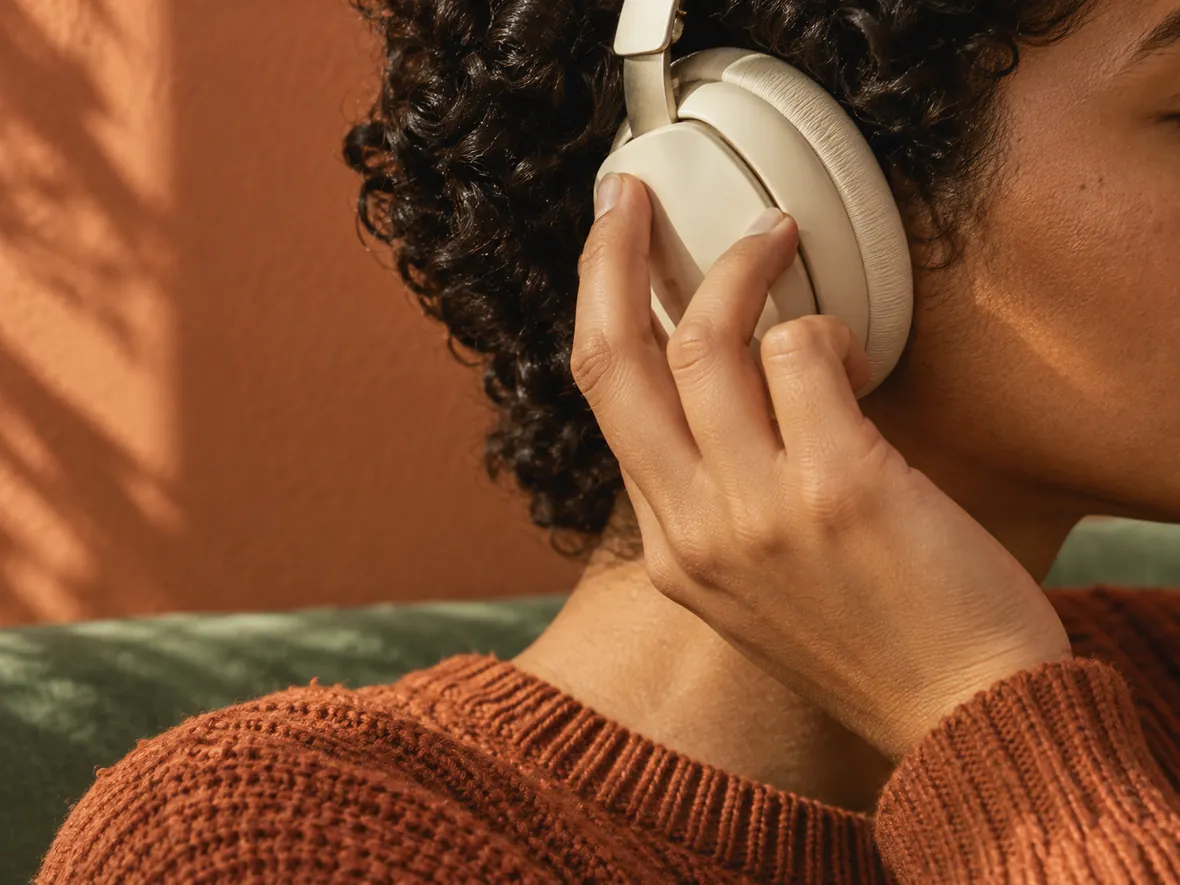
A close-up of a listener adjusting cream headphones while reviewing a recording

03 / LISTEN BEFORE YOU KEEP IT

Check how your voice sounds after enhancement.

Clarity matters, and so does the way your voice feels. AI Voice Enhancer provides original and enhanced playback so you can listen to the same phrase in both versions and judge the result yourself.

With AI Voice Enhancer, listen for changed consonants or an unnatural tone. Keep your original if the processed take does not suit the recording.

Compare your spoken audio
A gouache illustration of a creator editing narration in a sunlit home studio

04 / READY FOR YOUR NEXT EDIT

Bring clearer speech into your next edit.

Prepare narration for a lesson, interview edit, or video. AI Voice Enhancer accepts common audio formats and exports a WAV you can bring back into your editing workflow.

Use AI Voice Enhancer for video audio after exporting the spoken track. Direct video upload, video export, and stereo preservation are unsupported.

Prepare your narration
An older storyteller and a younger interviewer sharing a recorded conversation on a bright courtyard terrace

05 / THE FULL CONVERSATION

Keep the full conversation.

A worthwhile conversation does not always fit a short clip. Continue with AI Voice Enhancer Pro to process longer spoken recordings in the cloud and find the task and result in your account.

AI Voice Enhancer Pro shows the required processing time before you confirm. You can leave the page and return to your task later.

Start with your recording

From file to a reviewed result

How to use AI Voice Enhancer

AI Voice Enhancer keeps the steps simple: choose a recording, enhance the speech, and review the result.

  1. 01

    Choose spoken audio

    Add an MP3, WAV, M4A, or AAC file to AI Voice Enhancer.

  2. 02

    Enhance the recording

    Browser mode starts automatically. For Pro, review the processing time and confirm.

  3. 03

    Compare and download

    Compare both versions in AI Voice Enhancer, then save the enhanced WAV.

Find your recording task

Where clearer speech helps.

Interview handoffs

Use AI Voice Enhancer for recorded interviews before handing spoken takes to an editor.

Lessons & explainers

Prepare spoken explanations that learners can review alongside your slides or screen recording.

Meeting replays

Revisit an existing meeting recording; this tool does not transcribe or summarize it.

Spoken ideas

Try AI Voice Enhancer on a saved phone note before sending your idea to a collaborator.

Why choose AI Voice Enhancer?

A direct speech workflow

Improve spoken recordings without manually tuning EQ or installing an audio editor.

Reviewable results

AI Voice Enhancer keeps original and enhanced playback together for your own comparison.

Continue with longer audio

Pro cloud tasks keep progress and results available in your account.

Before you enhance

Your voice enhancement questions.

What recordings suit AI Voice Enhancer?

AI Voice Enhancer focuses on spoken audio: interviews, narration, lessons, meetings, and phone recordings. It enhances existing speech without generating a new voice.

Can AI Voice Enhancer fix muffled or badly recorded speech?

AI Voice Enhancer reduces noise and improves speech clarity. Severe clipping, heavy echo, overlapping speakers, and missing speech may remain unclear. Results depend on your recording.

Will AI Voice Enhancer change my voice?

AI Voice Enhancer does not clone voices. Enhancement may alter tone or introduce artifacts. Compare both versions and keep your original if the processed voice sounds unnatural.

Can I use it for singing or music?

AI Voice Enhancer focuses on speech. Singing, instruments, and background music may be altered. It does not tune vocals, master music, or separate stems.

Which formats and output does AI Voice Enhancer support?

AI Voice Enhancer accepts MP3, WAV, M4A, and AAC; codec support varies by browser. WAV output is mono: 16 kHz in browser mode, 44.1 kHz in Pro.

Can I enhance a voice in a video?

Export the spoken track, process it with AI Voice Enhancer, and return the WAV to your edit. Direct MP4/MOV input and video export are unsupported.

Is AI Voice Enhancer free, and what does Pro cost?

AI Voice Enhancer is free up to 10 minutes per file. Pro accepts up to 300 MB without a fixed duration limit. Purchased processing time rounds up to whole seconds, with a 15-second minimum per job. Failed cloud jobs restore charged time.

See processing-time packages
Do I need an account, and where is audio processed?

AI Voice Enhancer browser mode needs no account and processes audio on your device. Pro needs sign-in and uploads audio for cloud processing. Speed depends on length, device, and mode.

Start with a voice worth hearing

Give your next recording a clearer listen.

Try AI Voice Enhancer with a spoken take you already have. Compare the result, then decide what belongs in your next edit.